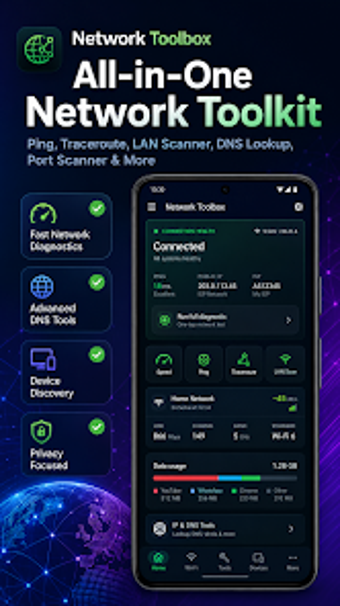
Network Toolbox: WiFi & LAN, an Android toolkit for network diagnostics
Network Toolbox: WiFi & LAN, by NerdDev, targets on-device network diagnostics and auditing for Android smartphones and tablets. The app combines latency and path testing, LAN and port discovery, DNS tooling, Wi‑Fi signal analysis, and power-user utilities such as Wake on LAN and ADB over Wi‑Fi. It also offers DNS over HTTPS testing, Bufferbloat and MTU checks, a subnet calculator, and QR Wi‑Fi sharing. The tool is aimed at network administrators, developers, and power users who need privacy-minded mobile troubleshooting.
What the app consolidates for on-device troubleshooting
The app packages many discrete utilities into a single suite so engineers can run local checks without switching apps. Core functions exposed in the interface include network health checks and hop/path tracing plus device discovery. Key tools are presented as modules, for example:
- Ping, Traceroute, and one‑tap health diagnostics
- LAN Scanner, Port Scanner, mDNS/UPnP browsers
- DNS Lookup, DoH testing, WHOIS, and subnet calculations
Does it slow down your system during a scan?
The app is built for Android smartphones and tablets and runs its diagnostics locally, so scans do not require continuous external data transfers. Because most tools operate offline for LAN analysis, network queries stay on the local subnet rather than routing to external services. The implementation suits ad hoc inspections on modern mobile hardware; specific CPU and memory usage is not stated, so footprint varies by device and the tests you run.
Is it safe to use on a production network?
The suite adopts a privacy-first approach, it does not require user accounts and core functionality can run without external connectivity, which reduces external exposure. Several utilities, notably the Port Scanner and ADB over Wi‑Fi, do require elevated network access and can be security-sensitive on open networks. The inclusion of DNS over HTTPS testing and an IPv6 readiness tool helps administrators verify configuration and exposure without sending routine telemetry.
Do I need technical knowledge to operate the app correctly?
The target audience is technical: network administrators, IT professionals, software developers, and power users. The interface is described as clean and ad-free, which helps basic navigation, but advanced diagnostics such as Bufferbloat grading, MTU discovery, and subnet math assume networking knowledge. Casual users can perform simple scans, while in-depth auditing requires understanding of latency, packet loss, and addressing concepts to interpret results safely.
Practical mobile inspection for technically minded operators
Network Toolbox is a practical option for professionals who need on-device diagnostics with a privacy emphasis. The suite's depth rewards experienced users and can present a learning curve for casual troubleshooters. Treat it as an inspection and verification instrument rather than an automatic fixer; run targeted tests during controlled windows to compare results under different loads. Recommended.